

与 Android(adb) 集成
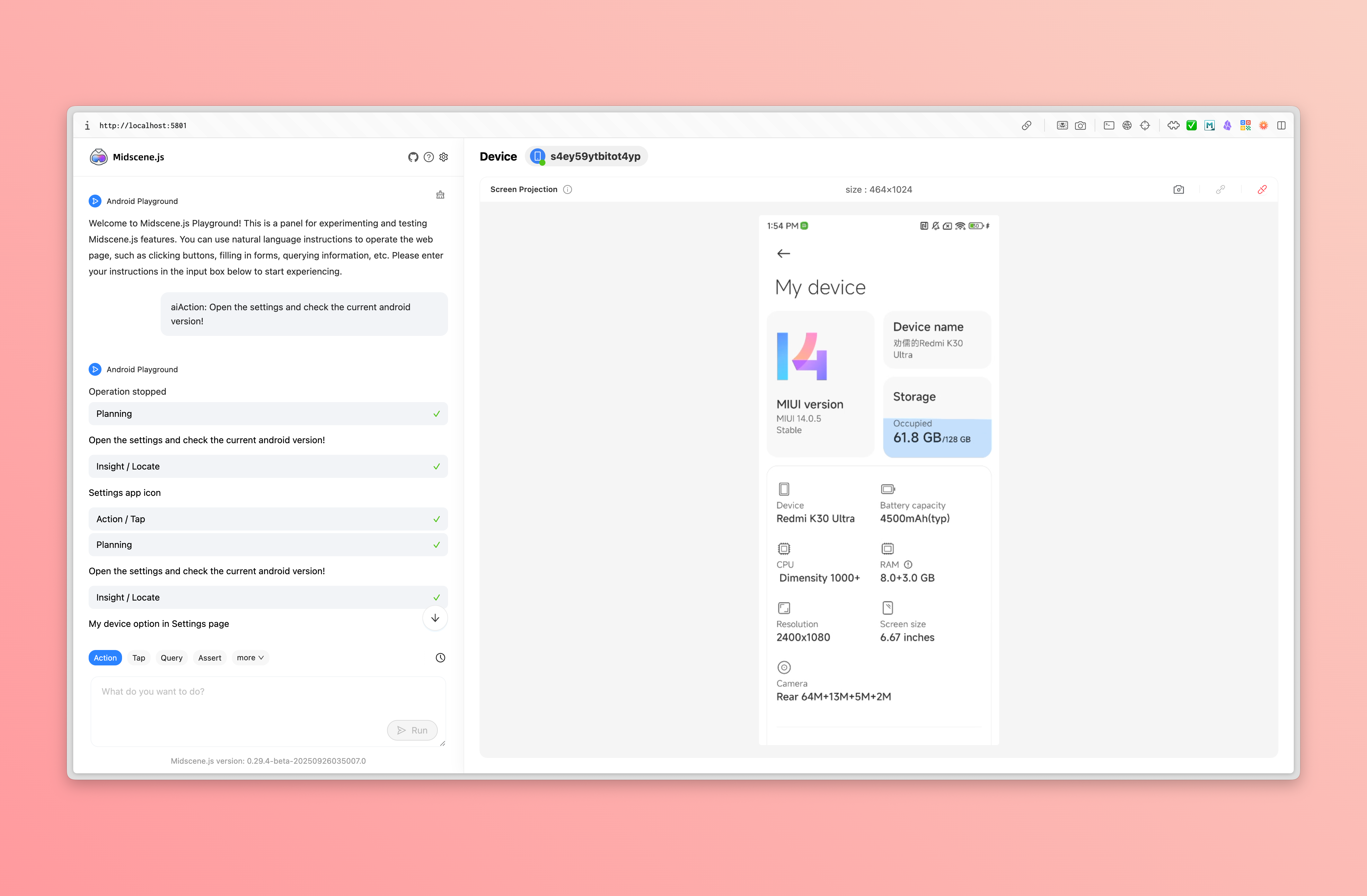
在使用 adb 连接 Android 设备后,你可以使用 Midscene JavaScript SDK 来控制 Android 设备。
使用 JavaScript SDK 控制 Android 设备:https://github.com/web-infra-dev/midscene-example/blob/main/android/javascript-sdk-demo
与 Vitest 集成和测试:https://github.com/web-infra-dev/midscene-example/tree/main/android/vitest-demo
Preparation
Prepare an API key
Prepare an API key from a visual-language (VL) model. You will use it later.
You can check the supported models in Model strategy
Install adb
adb is a command-line tool that allows you to communicate with an Android device. There are two ways to install adb:
- way 1: use Android Studio to install
- way 2: use Android command-line tools to install
Verify adb is installed successfully:
When you see the following output, adb is installed successfully:
Set environment variable ANDROID_HOME
Reference Android environment variables, set the environment variable ANDROID_HOME.
Verify the ANDROID_HOME variable is set successfully:
When the command has any output, the ANDROID_HOME variable is set successfully:
Connect Android device with adb
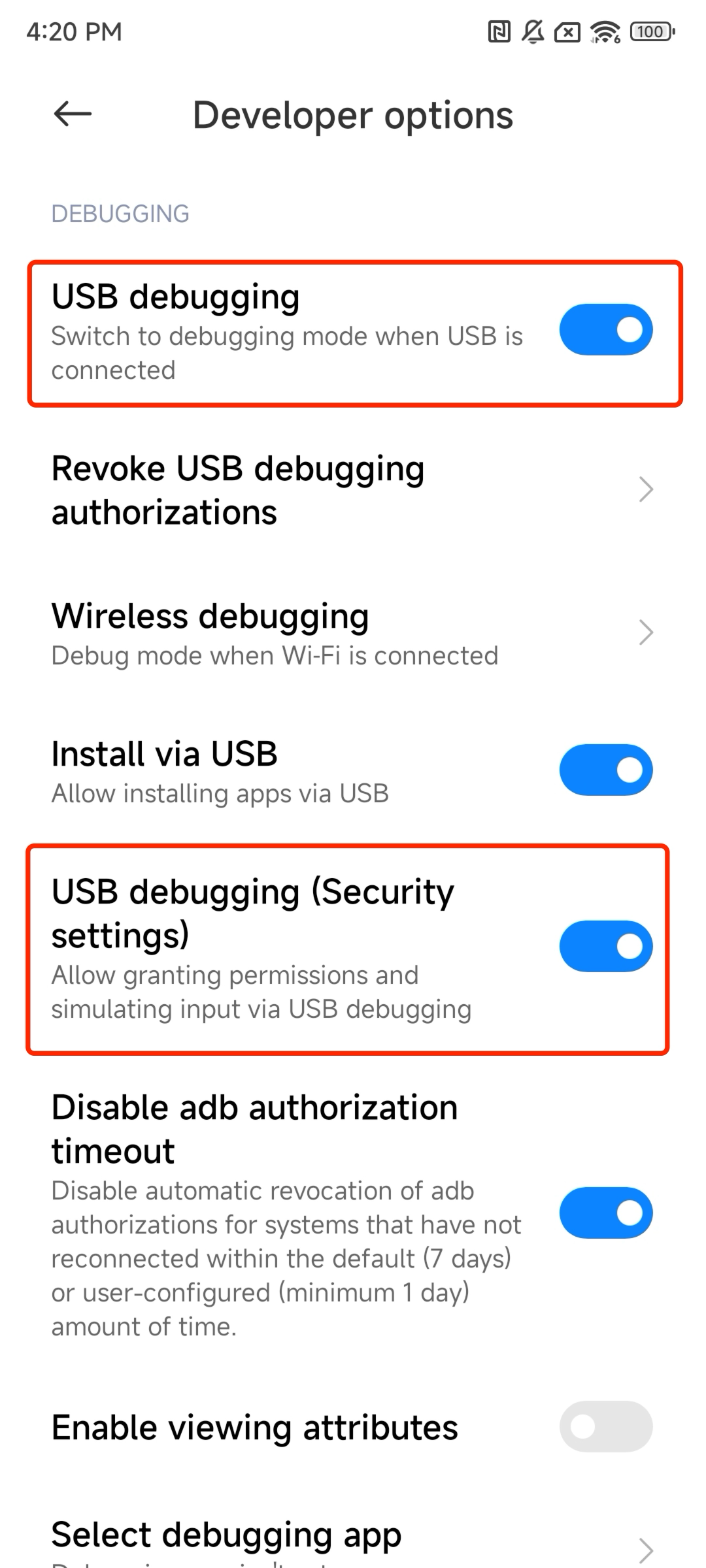
In the developer options of the system settings, enable the 'USB debugging' of the Android device, if the 'USB debugging (secure settings)' exists, also enable it, then connect the Android device with a USB cable
Verify the connection:
When you see the following output, the connection is successful:
配置 AI 模型服务
将你的模型配置写入环境变量,可参考 模型策略 了解更多细节。
集成 Midscene
第一步:安装依赖
第二步:编写脚本
这里以使用安卓浏览器搜索耳机为例。(当然,你也可以使用设备上的其他任何应用)
编写下方代码,保存为 ./demo.ts
第三步:运行
使用 tsx 来运行
稍等片刻,你会看到如下输出:
第四步:查看运行报告
当上面的命令执行成功后,会在控制台输出:Midscene - report file updated: /path/to/report/some_id.html,通过浏览器打开该文件即可看到报告。
构造函数与接口
AndroidDevice 的构造函数
AndroidDevice 的构造函数支持以下参数:
deviceId: string- 设备 idopts?: AndroidDeviceOpt- 可选参数,用于初始化 AndroidDevice 的配置autoDismissKeyboard?: boolean- 可选参数,是否在输入文本后自动关闭键盘。默认值为 true。keyboardDismissStrategy?: 'esc-first' | 'back-first'- 可选参数,关闭键盘的策略。'esc-first' 优先尝试 ESC 键,如果键盘仍存在则尝试返回键。'back-first' 优先尝试返回键,如果键盘仍存在则尝试 ESC 键。默认值为 'esc-first'。androidAdbPath?: string- 可选参数,用于指定 adb 可执行文件的路径。remoteAdbHost?: string- 可选参数,用于指定远程 adb 主机。remoteAdbPort?: number- 可选参数,用于指定远程 adb 端口。imeStrategy?: 'always-yadb' | 'yadb-for-non-ascii'- 可选参数,控制 Midscene 何时调用 yadb 来输入文本。'yadb-for-non-ascii'(默认)会自动对 Unicode 字符(包括 Latin Unicode 如 ö、é、ñ)、中文、日文以及格式化符号(如 %s、%d)使用 yadb,而纯 ASCII 文本则使用更快的原生adb input text。'always-yadb'会对所有文本输入都使用 yadb,提供最大兼容性,但对纯 ASCII 文本稍慢。默认值为 'yadb-for-non-ascii'。displayId?: number- 可选参数,用于指定要使用的显示器 ID。默认值为 undefined,表示使用当前显示器。screenshotResizeScale?: number- 可选参数,控制发送给 AI 模型的截图尺寸。默认值为1 / devicePixelRatio,因此对于分辨率 1200×800、设备像素比(DPR)为 3 的界面,发送到模型的图片约为 400×267。不建议手动修改该参数。alwaysRefreshScreenInfo?: boolean- 可选参数,是否每次都重新获取屏幕尺寸和方向信息。默认为 false(使用缓存以提高性能)。如果设备可能会旋转或需要实时屏幕信息,设置为 true。
Android Agent 上的更多接口
除了 API 参考 中的通用 Agent 接口,AndroidAgent 还提供了一些其他接口:
agent.launch()
启动一个网页或原生页面。
- 类型
-
参数:
uri: string- 要打开的 uri,可以是网页 url 或原生 app 的 package name 或 activity name,如果存在 activity name,则以 / 分隔(例如:com.android.settings/.Settings)
-
返回值:
Promise<void>
-
示例:
agent.runAdbShell()
执行 adb shell 命令。
注意:该方法本质上是调用
adb shell执行传入的命令。
- 类型
-
参数:
command: string- 要执行的 adb shell 命令
-
返回值:
Promise<string>- 命令执行的输出结果
-
示例:
除了在 JavaScript/TypeScript 中使用这些方法,你还可以在 YAML 脚本中使用 Android 的平台特定动作。
要了解如何在 YAML 脚本中使用 runAdbShell 和 launch 动作,请参考 YAML 脚本中的 Android 平台特定动作。
agent.back()
触发系统的返回操作。
- 类型
-
参数:无
-
返回值:
Promise<void> -
示例:
agent.home()
返回到 Android 主屏幕。
- 类型
-
参数:无
-
返回值:
Promise<void> -
示例:
agent.recentApps()
打开 Android 最近任务界面。
- 类型
-
参数:无
-
返回值:
Promise<void> -
示例:
agentFromAdbDevice()
从已连接的 adb 设备中,创建一个 AndroidAgent。
- 类型
-
参数:
deviceId?: string- 可选参数,要连接的 adb 设备 id,如果未传入,则使用第一个连接的设备opts?: PageAgentOpt & AndroidDeviceOpt- 可选参数,用于初始化 AndroidAgent 的配置,其中 PageAgentOpt 参考 构造器,AndroidDeviceOpt 的配置值参考 AndroidDevice 的构造函数
-
返回值:
Promise<AndroidAgent>返回一个 AndroidAgent 实例
-
示例:
getConnectedDevices()
获取所有连接的 Android 设备。
- 类型
-
返回值:
Promise<Device[]>返回一个 Device 数组
-
示例:
扩展自定义交互动作
使用 customActions 选项,结合 defineAction 定义的自定义交互动作,可以扩展 Agent 的动作空间。这些动作会追加在内置动作之后,方便 Agent 在规划阶段调用。
更多关于自定义动作的细节,请参考 集成到任意界面。
更多
- 更多 Agent 上的 API 接口请参考 API 参考。
FAQ
为什么我连接了设备,但是通过 adb 仍然无法控制?
一个典型的错误信息是:
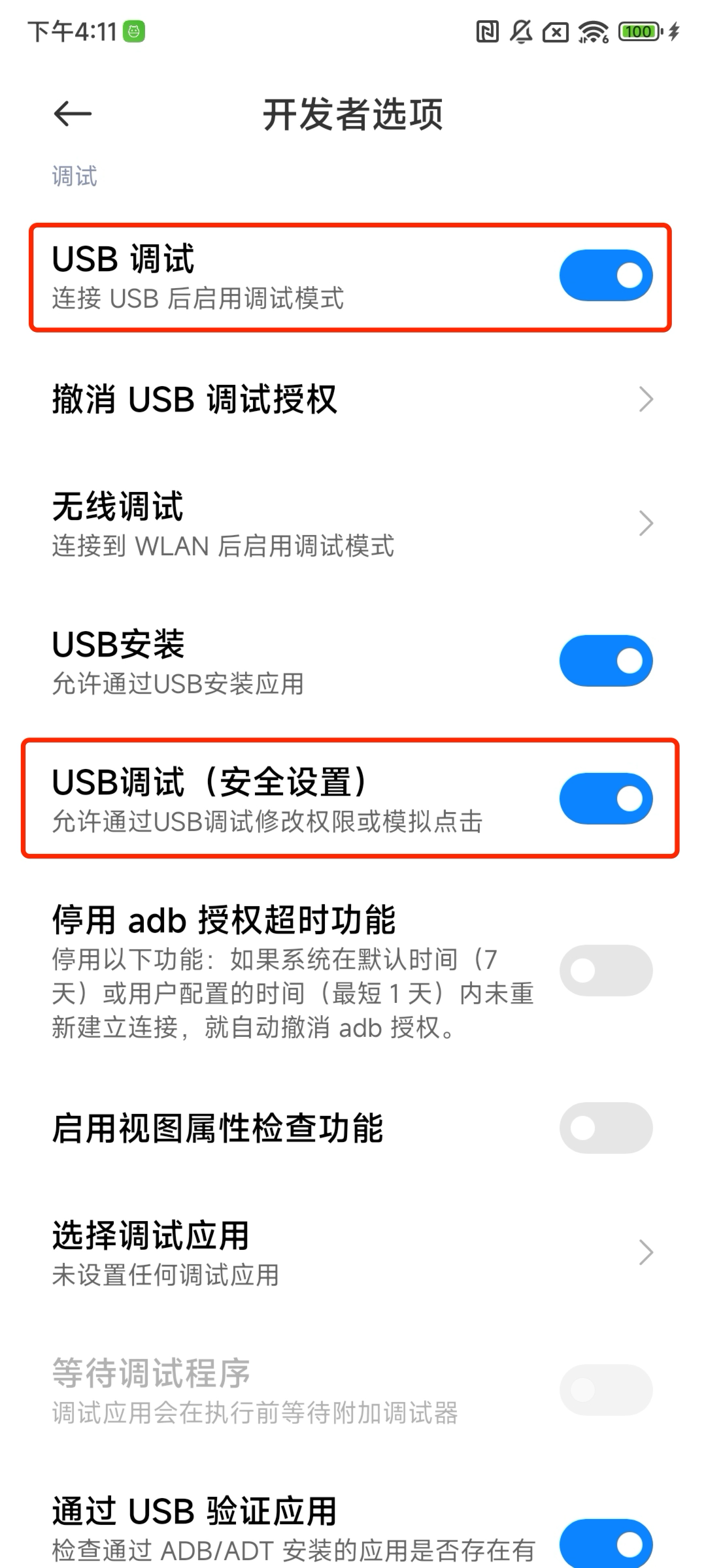
请检查是否在系统设置的开发者选项中,如果存在『USB 调试(安全设置)』,也需要开启。
如何使用自定义的 adb 路径、远程 adb 主机和端口?
你可以使用 MIDSCENE_ADB_PATH 环境变量来指定 adb 可执行文件的路径,MIDSCENE_ADB_REMOTE_HOST 环境变量来指定远程 adb 主机,MIDSCENE_ADB_REMOTE_PORT 环境变量来指定远程 adb 端口。
此外,也可以通过 AndroidDevice 的构造函数来指定 adb 可执行文件的路径、远程 adb 主机和端口。